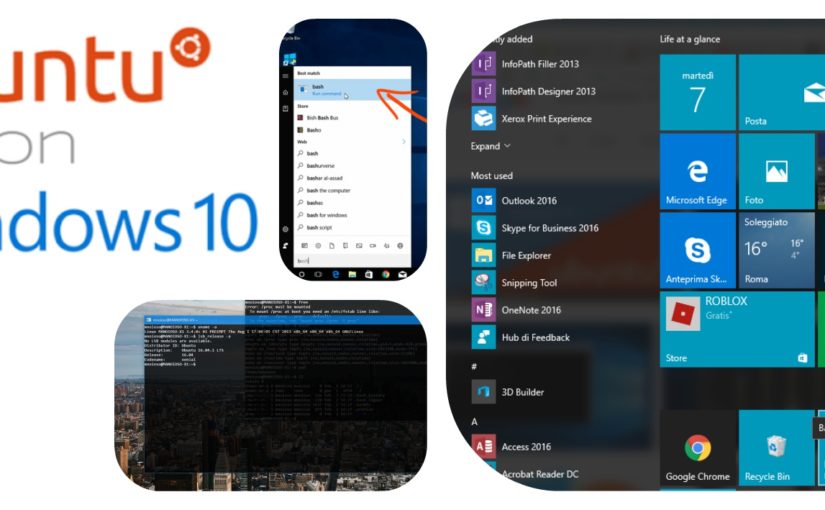
Microsoft is changing a lot in the last years, the company is committed to integrating SSH into Windows, SQL Server would be soon available on Linux, Azure is the best cloud platform to run open source and Ubuntu shell runs on Windows 10 and that makes me very very happy 🙂
Microsoft working hard to change the perception of being a Windows-only company !
Canonical and Microsoft have been working closely for the last few years, the engineering teams at both the entities are already collaborating on many fronts. Ubuntu was one of the first Linux distributions to get an official endorsement to run on Azure.
So since Windows 10 Anniversary Update among the new features it brings is Bash for Windows, an Ubuntu-based tool that lets you run familiar Linux apps on Windows natively.
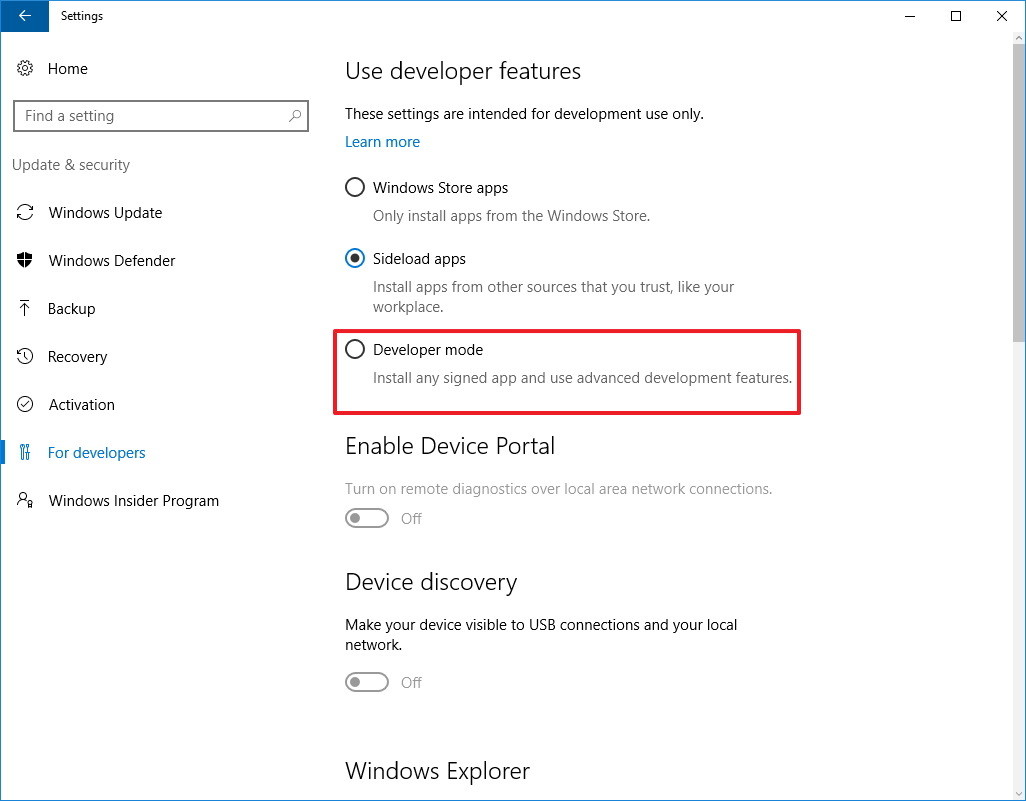
To enable Ubuntu Bash on Windows 10 you have to set under “Use developer features” the Developer mode option to setup the environment to install Bash:
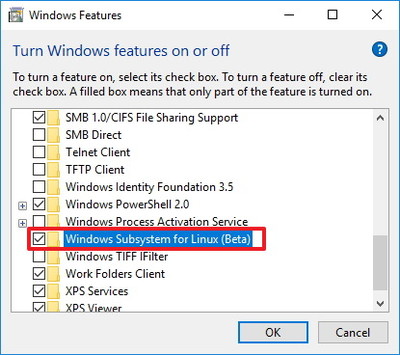
Once your computer reboots, open Control Panel, click on Programs and Turn Windows features on or off to set:
Bash on Window is not a virtual machine or container, it is not a full Linux distribution, Bash on Windows is a way to run Linux applications and Bash commands natively on Windows, with access to the Windows File System, it runs atop a Linux-compatible kernel interface, the subsystem as a whole requires fewer resources than a full virtualized machine.
Bash on Windows allows you to run Linux command-line tools and apps alongside your Windows command-line, desktop and store apps, and to access your Windows files from within Linux. This enables you to use Windows apps and Linux command-line tools on the same set of files if you wish.
Using the Ubuntu Bash shell you can run standard GNU command line tools, such as grep, sed, awk, vi, emacs, nano, ssh, etc.
Microsoft supports 5 areas of interest:
- GNU command line tools
- File system and symlinks
- Ability to run apt & apt-get for installs, updates, and package testing
- Basic functionality for languages such as NodeJS/npm, Python, Perl
- Command line tools such as Vim, Emacs, Git, and SSH
Here is my awesome desktop:
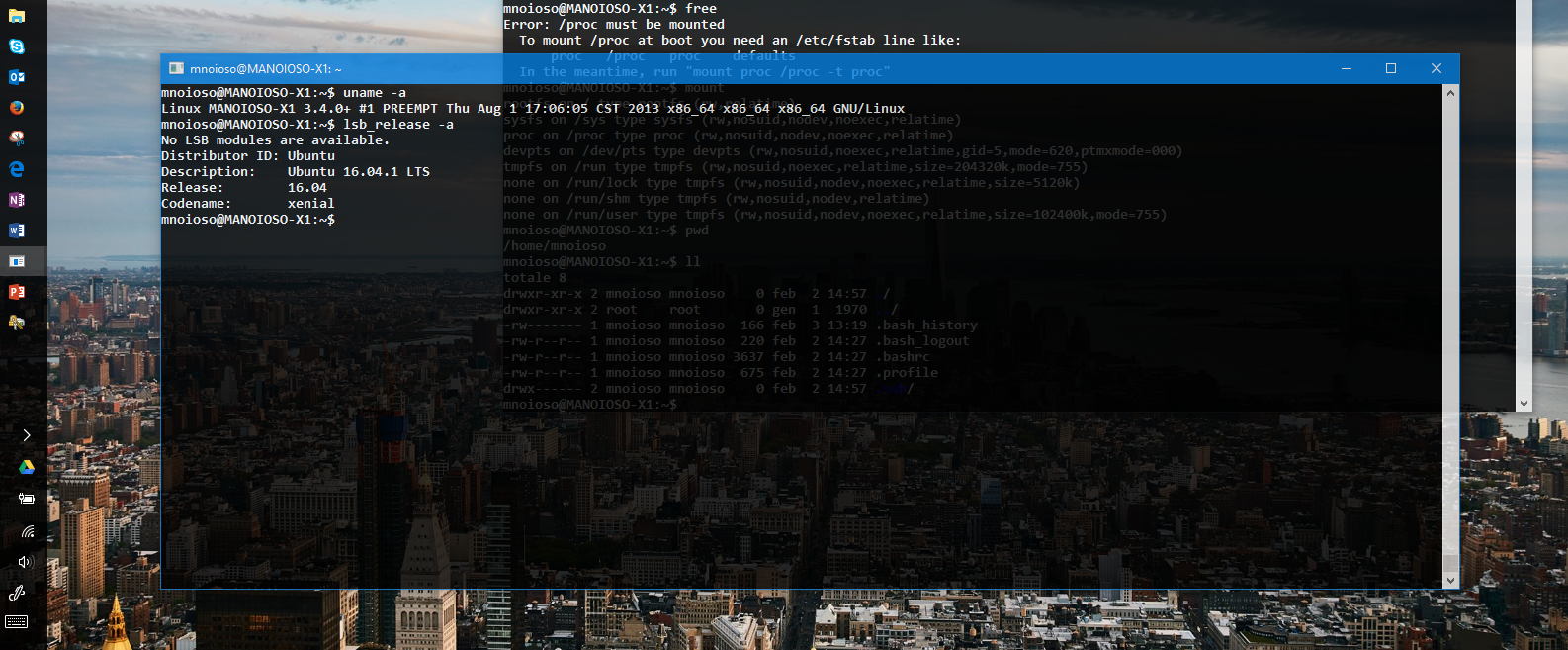
Enjoy to run Bash on Ubuntu on Windows !
[iframe src=”https://channel9.msdn.com/Events/Build/2016/P488/player?format=html5#ccLang=en” allowfullscreen=”allowfullscreen” frameborder=”0″ height=”450″]